
The job gets booked on the call.
The receptionist checks your real availability, offers open times, and books the one the caller picks, with their name, address, phone and the problem, into Google Calendar or the dashboard calendar. Rescheduling and cancelling work the same way. No time is ever invented, and nothing is booked without the caller's yes.
The dryer runs but it isn't heating. Can someone come out tomorrow morning?
Yes. What's the service address?
41 Maple Court, Austin. I'm Tess Walker.
Thanks, Tess. Tomorrow morning I have nine, nine thirty and ten. Which works?
Nine thirty.
You're set for tomorrow at nine thirty in the morning for the dryer. We'll see you then.
Appointment · Thu 9:30 a.m. · 60 min · Dryer not heating · Google Calendar updated
The booking from the demo line, as it lands in the dashboard. The times offered came from the calendar's free/busy, not from a script.
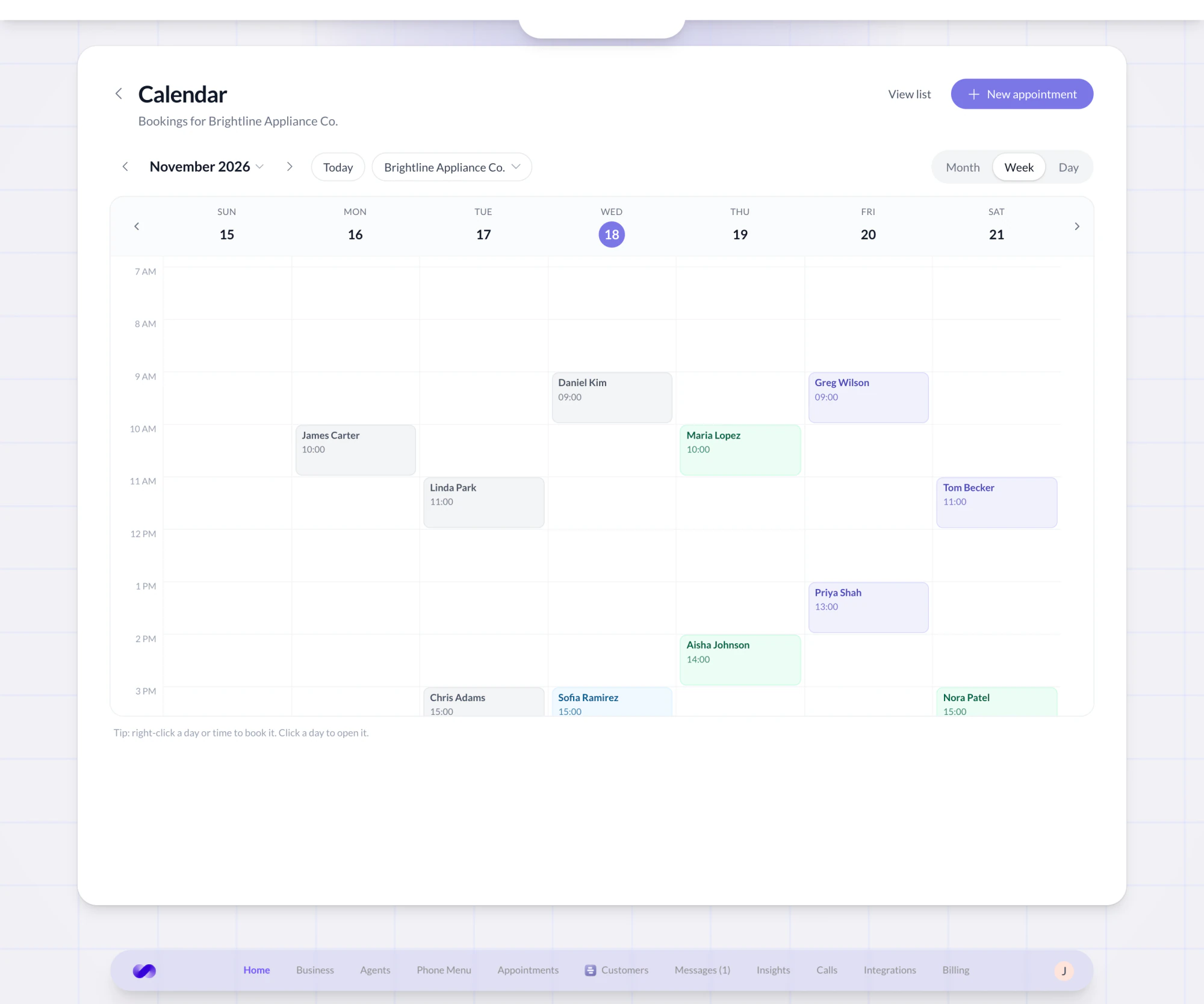
The dashboard, with our fictional demo shop's data.
What happens on the call
- Real availability
Your receptionist reads your working hours and visit length from the dashboard and, if you connect Google Calendar, your calendar's busy times, so it never double-books over a job that's already there.
- The caller picks
Two or three open times are offered, and the one the caller chooses gets booked. If they say “whatever's earliest”, the earliest is named and confirmed with a yes.
- Everything a tech needs
Name, service address, the best callback number (the number they're calling from, confirmed), the problem in their words, and any notes such as a gate code.
- Reschedule and cancel
A returning caller can move or cancel their appointment on the same call. The appointment is found by phone number and the change confirmed.
Settings in the dashboard
Plain switches and plain-language instructions.
Service days and hours, how long a visit takes, and how much notice you need before the next bookable slot.
Connect Google Calendar and bookings go straight into it, around what's already there. Without it, bookings live in the dashboard calendar.
Service area (every address is checked against it), what to collect, whether to mention a diagnostic fee, and one upcoming booking per phone number.
With the AI Texting add-on, a confirmation and a reminder go out by text, and the customer can reply to reschedule.
Questions owners ask
Or ask Alex yourself: call +1 (534) 248-9962.
Will it book over an existing job?
No. With Google Calendar connected it reads your busy times before offering a slot; in the dashboard calendar only free slots are offered.
What if the caller wants a time I don't have?
The caller hears it isn't available and gets the nearest open times. A time that isn't free never gets booked, and the caller always does the picking.
Can it take a second-choice time?
Yes. If you want one, a backup time is collected and saved in the booking notes.
Does it book into Housecall Pro or Jobber?
Not yet: the Housecall Pro, Jobber and ServiceTitan connectors are coming soon. Today it books straight into Simpro with the connector add-on, or into your dashboard calendar and Google Calendar, and webhooks can pass each booking on.
What does the technician see?
The appointment in the calendar with the customer's name, address, phone, the problem in the customer's words, and a link to the call recording.
How much is it?
Booking is included in the plan. There is no per-booking fee.
Want us to set it up for you?
Leave a number. Someone from our team calls you, goes through your services, hours and service area, and sets your receptionist up with you.
- A person on our team calls you back
- Your greeting, questions and urgent-call rules, set up together
- You hear it answer before it takes real calls
Related pages
Hear how your next call gets answered.
Call the demo line and talk to Alex yourself. Live on your number in about ten minutes.
Demo line +1 (534) 248-9962