
 Google Calendar
It works from your own calendar.
Sign in with Google once and every appointment the receptionist books becomes an event in the calendar you choose, with the customer's name, address, phone and the problem in the description. Before offering a time it checks the calendar's busy slots, so it never books over something that's already there.
Thu 12 Nov · 9:30–10:30 a.m. · Dryer not heating · Tess Walker
41 Maple Court, Austin TX · +1 (512) 555-0178 · Booked by the receptionist from a call at 9:12 a.m.
Recording and transcript: link · Appointment #458
An event as it appears in Google Calendar. Change it there and the dashboard reflects the new time.
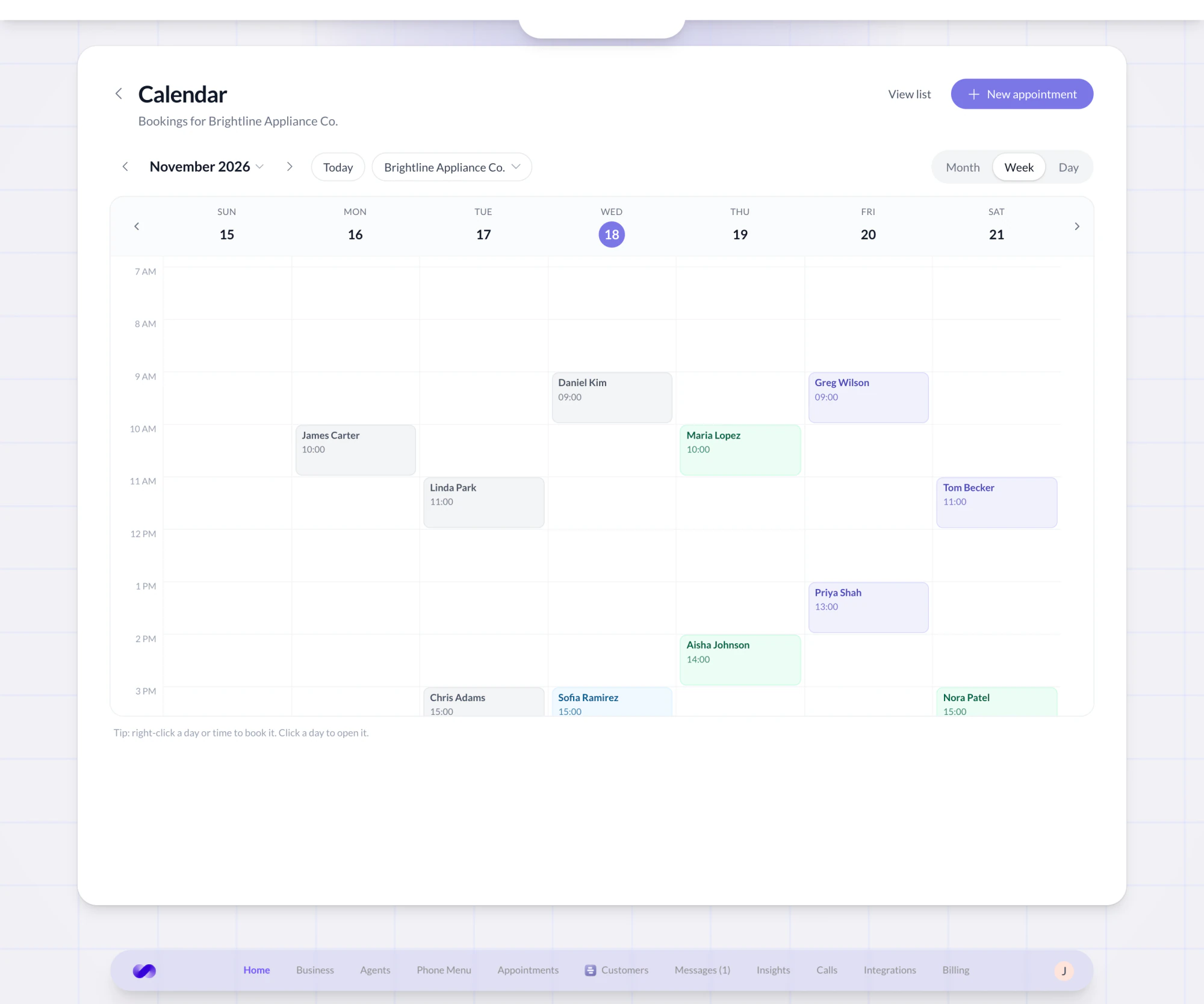
The dashboard, with our fictional demo shop's data.
What moves, and when
- Connect with Google
Sign in from the dashboard and pick the calendar for bookings; a shared team calendar works.
- Free/busy before every offer
It asks the calendar what's busy in the window the caller wants and offers only free slots of your visit length.
- Events with everything in them
Customer, address, phone, problem, the appointment number and a link to the call.
- Changes flow both ways
Reschedule on the call and the event moves; move the event in Google and the dashboard shows the new time.
Which way the data goes
| Data | Direction |
|---|---|
| Busy times | Google Calendar → receptionist, before each offer |
| New appointment | receptionist → Google Calendar event |
| Reschedule or cancel | event updated or removed |
Settings in the dashboard
Plain switches and plain-language instructions.
Any calendar on the connected account, including shared ones.
How long an event is, and the gap between visits.
One click; bookings continue in the dashboard calendar.
Questions owners ask
Or ask Alex yourself: call +1 (534) 248-9962.
Does it work with Google Workspace?
Yes, with a Workspace account or a personal Google account.
Can my techs each have a calendar?
Today bookings go to one calendar per receptionist. For separate lines, add a Second AI Receptionist with its own calendar.
What about Outlook or iCloud?
There's no direct connection. A zap can copy each new booking to Outlook or another calendar.
Is it extra?
No. Google Calendar is included in the plan.
Want us to set it up for you?
Leave a number. Someone from our team calls you, goes through your services, hours and service area, and sets your receptionist up with you.
- A person on our team calls you back
- Your greeting, questions and urgent-call rules, set up together
- You hear it answer before it takes real calls
Related pages
Hear how your next call gets answered.
Call the demo line and talk to Alex yourself. Live on your number in about ten minutes.
Demo line +1 (534) 248-9962