
 Simpro
Jobs book straight into Simpro.
Connect your Simpro build and the receptionist looks up the caller as a Simpro customer, creates them if they're new, and books the visit as a Simpro job with the right staff and time slot, all before the call ends. Supportiyo is an official Simpro Technology Partner and the connector is available to UASA members.
It's Tess Walker, the washer's leaking from underneath.
Hi Tess, I have you at 41 Maple Court. Thursday morning I can do nine thirty with Dan. Shall I book it?
Yes please.
Simpro · Customer #10442 found · Job #7781 created · Thu 9:30, 60 min, Dan · Notes: washer leaking underneath
The customer was found in Simpro by phone number; the job was created with the staff member and slot offered on the call.
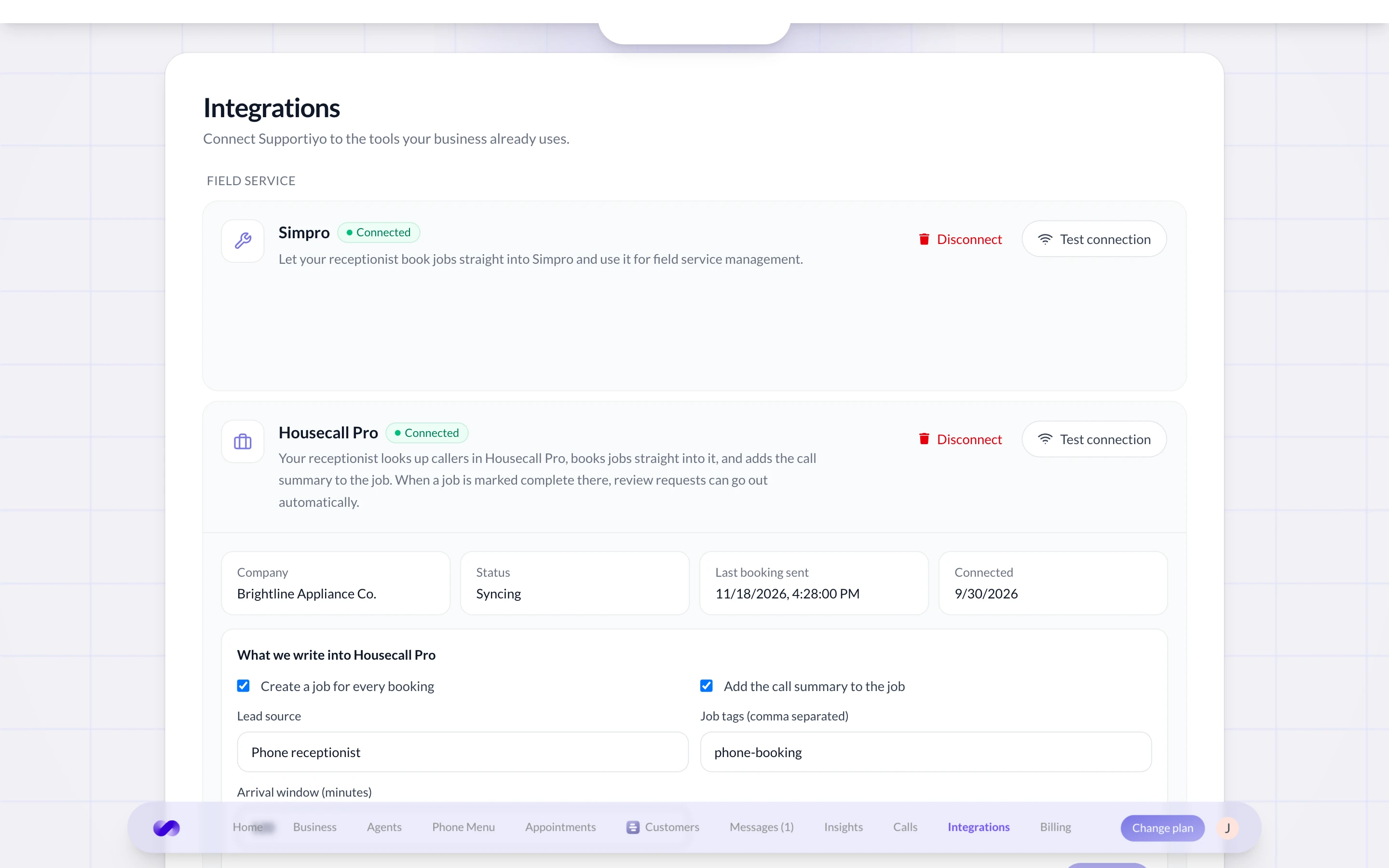
The dashboard, with our fictional demo shop's data.
What moves, and when
- Connect once
Enter your Simpro company URL and API credentials in the dashboard; test the connection with one click.
- Staff and slots
It reads your Simpro staff list and schedules, and offers times that are actually free for the chosen technician.
- Book the job
The job is created in Simpro with customer, site address, description in the caller's words and the slot; the call's recording link lands in the notes.
- Activity log
Every lookup and booking is listed in the dashboard with Simpro's response, so nothing is silently dropped.
Which way the data goes
| Data | Direction |
|---|---|
| Customer lookup by phone | Simpro → receptionist, on every call |
| New customer | receptionist → Simpro, when the caller isn't found |
| Job booking with slot and staff | receptionist → Simpro, on the call |
| Call summary and recording link | → the job's notes |
Settings in the dashboard
Plain switches and plain-language instructions.
Pick the technicians the receptionist can schedule.
Job type, duration and the status a new job is created with.
If Simpro is unreachable, it books into the dashboard calendar and flags the appointment for you to push later.
Questions owners ask
Or ask Alex yourself: call +1 (534) 248-9962.
Which Simpro editions does this work with?
Simpro Premium with API access. Enter your build URL and credentials; we'll confirm the connection during setup.
Does it create duplicate customers?
No. It matches by phone number first and only creates a customer when nothing matches.
What does it cost?
Simpro Sync is $29 a month on top of the plan.
Can the dispatcher still change the job in Simpro?
Yes. Simpro remains the source of truth for the job; the receptionist only creates and reads.
Want us to set it up for you?
Leave a number. Someone from our team calls you, goes through your services, hours and service area, and sets your receptionist up with you.
- A person on our team calls you back
- Your greeting, questions and urgent-call rules, set up together
- You hear it answer before it takes real calls
Related pages
Hear how your next call gets answered.
Call the demo line and talk to Alex yourself. Live on your number in about ten minutes.
Demo line +1 (534) 248-9962