
Your team hears who's calling first.
When a caller asks for a person, a quote it can't give, or help with an existing job, the receptionist rings your transfer number and tells the person who picks up who is calling and what they need, in one sentence, before the caller is connected. If nobody answers, it comes back on the line and takes a message.
I need to talk to someone about the invoice from last week, it doesn't look right.
Sure, let me connect you with our team, one moment.
Ringing +1 (512) ••• ••41 · Owner line
Tess Walker is calling about last week's invoice for a dryer repair at 41 Maple Court; she thinks the amount is wrong. Connecting you now.
Connected · 0:14 · If unanswered: back to the receptionist for a message
The briefing is spoken only to the team member. The caller hears a short hold, then a person who already knows what they called about.
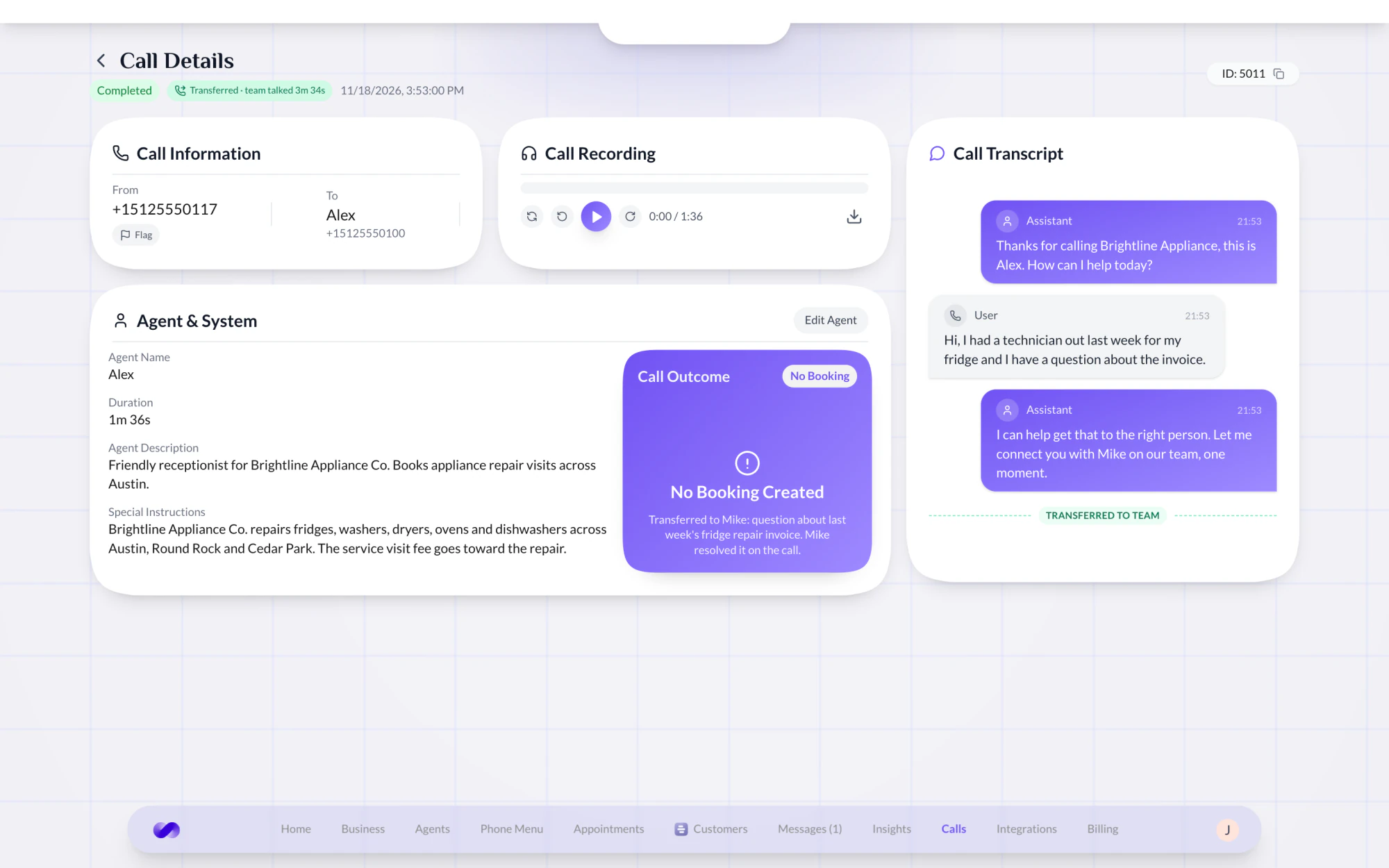
The dashboard, with our fictional demo shop's data.
What happens on the call
- Your rules decide when
Transfers happen when the caller asks for a person, the owner, a manager or a tech by name; wants a quote it can't give from your information; asks about an existing job or invoice; or has a complaint. Booking, rescheduling and cancelling it handles on its own.
- A one-sentence briefing
Before the call joins, the team member hears the caller's name, what they need, and the appliance, issue and address when known.
- No answer, no dead end
If the transfer isn't picked up, the caller comes back to the receptionist, who takes a message and alerts you by text and email.
- On the record
The transfer, who answered and how long it took are in the call's timeline in the dashboard.
Settings in the dashboard
Plain switches and plain-language instructions.
One number per receptionist: the owner's mobile, a dispatcher, or an on-call line. With no transfer number, it takes messages instead.
Add your own rules in plain language: “Warranty claims go to Maria”, “Never transfer after 9 p.m., take a message.”
Your team sees the receptionist's number calling, hears the briefing, and then talks to the customer.
What gets collected when nobody picks up, and who gets the alert.
Questions owners ask
Or ask Alex yourself: call +1 (534) 248-9962.
Does the customer know they're being transferred?
Yes. It tells them they're being connected to the team and the caller hears a brief hold. The briefing itself is only heard by your team member.
Can it transfer to more than one person?
Each receptionist has one main transfer number. With the Emergency Dispatch add-on, urgent calls ring your techs in turn, then you. For a separate line with its own rules (a warranty desk) add a Second AI Receptionist.
What if I don't want transfers at all?
Leave the transfer number empty. It takes a detailed message and alerts you instead.
Does a transferred call count as a call?
It's one call, counted once, however long the conversation with your team runs.
Will it transfer for every little thing?
No. It only transfers when the caller asks for one of the reasons you set. Unclear addresses or unusual requests are not reasons; it asks again or notes it in the booking.
Want us to set it up for you?
Leave a number. Someone from our team calls you, goes through your services, hours and service area, and sets your receptionist up with you.
- A person on our team calls you back
- Your greeting, questions and urgent-call rules, set up together
- You hear it answer before it takes real calls
Related pages
Hear how your next call gets answered.
Call the demo line and talk to Alex yourself. Live on your number in about ten minutes.
Demo line +1 (534) 248-9962