
 Housecall ProComing soon
Housecall Pro connector: coming soon.
Once the Housecall Pro connector is live, the receptionist will look up every caller in Housecall Pro by phone number, greet returning customers by name, create the customer if they're new and book the job in Housecall Pro before the call ends. Until then it books into your dashboard calendar or Google Calendar, and a webhook can pass each booking on.
Hi, it's Tess Walker. The washer's leaking from underneath again.
Hi Tess, I have you at 41 Maple Court. Thursday at nine thirty is open. Shall I book it?
Yes please.
Housecall Pro · Customer found by phone · Job created · Thu 9:30, 60 min · Notes: washer leaking underneath
A preview of the coming Housecall Pro connector, with demo shop data.
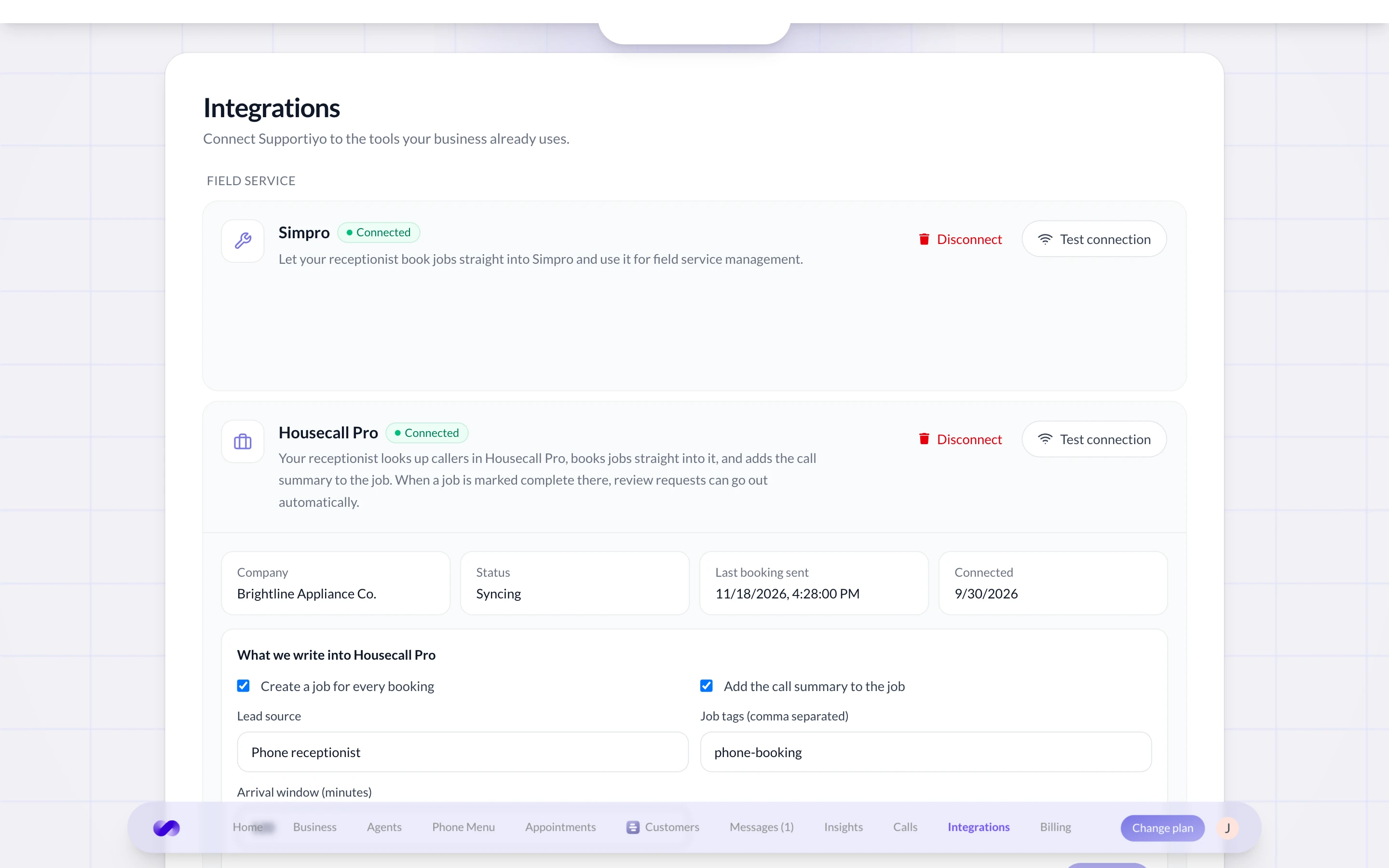
The dashboard, with our fictional demo shop's data. The Housecall Pro connector is coming soon.
What moves, and when
- Connect once
You'll sign in to Housecall Pro from the dashboard and approve access. Nothing to install.
- Will know who's calling
When a call starts it will look the number up in Housecall Pro, so returning customers don't repeat their name and address.
- The job booked on the call
It will offer open times from your dashboard calendar or Google Calendar, and create the job in Housecall Pro with the address, the problem in the caller's words and the time.
- Nothing gets lost
The call summary will be added to the job, and every sync listed in the dashboard with its status.
Which way the data goes
| Data | Direction |
|---|---|
| Customer lookup by phone | Housecall Pro → receptionist, when the call starts |
| New customer | receptionist → Housecall Pro, when the caller isn't found |
| Job with address, problem and time | receptionist → Housecall Pro, when it books |
| Call summary | → a note on the job |
| Job completed | Housecall Pro → review requests and your webhooks |
Settings in the dashboard
What you'll be able to set when it's live.
Switch job creation and call-summary notes on or off, and set the lead source and job tags new jobs get.
Test the connection with one click; disconnect any time and bookings carry on in the dashboard calendar.
Questions owners ask
Or ask Alex yourself: call +1 (534) 248-9962.
Is the Housecall Pro connector available now?
Not yet: it's coming soon. Email hello@supportiyo.support and we'll tell you when it's live. Until then the receptionist books into your dashboard calendar or Google Calendar, and webhooks or the API can pass each booking to other software.
Will it create duplicate customers?
No. It will match by phone number first and only create a customer when nothing matches.
Will it see my Housecall Pro schedule?
It offers times from the dashboard calendar or your connected Google Calendar. Keep that calendar current and it won't double-book.
Does Housecall Pro stay my job system?
Yes. Dispatch, quotes, invoices and payments stay in Housecall Pro; the receptionist answers the phone and creates the job.
Want us to set it up for you?
Leave a number. Someone from our team calls you, goes through your services, hours and service area, and sets your receptionist up with you.
- A person on our team calls you back
- Your greeting, questions and urgent-call rules, set up together
- You hear it answer before it takes real calls
Related pages
Hear how your next call gets answered.
Call the demo line and talk to Alex yourself. Live on your number in about ten minutes.
Demo line +1 (534) 248-9962